How To Study From Textbooks For Maximum Retention
Learn how to study from textbooks effectively with active reading, note taking, and spaced review strategies to boost comprehension and retention.
Mastering Textbook Study
I’ve learned that a simple, four-part routine—preview, active reading, note consolidation, and spaced review—can drastically cut wasted time and lock in understanding. When you move smoothly from one phase to the next, every minute spent with a textbook starts to pay off.
Quick Start Guide For Studying Textbooks
Most U.S. classrooms still lean on textbooks for 70% to 95% of instruction, so having a solid approach isn’t optional—it’s essential. Read the full research about textbook usage for the data behind that statistic.
Begin by skimming chapter summaries, headings, and bolded terms. This quick scan builds a mental outline—your roadmap—so you recognize the big ideas before diving into details.
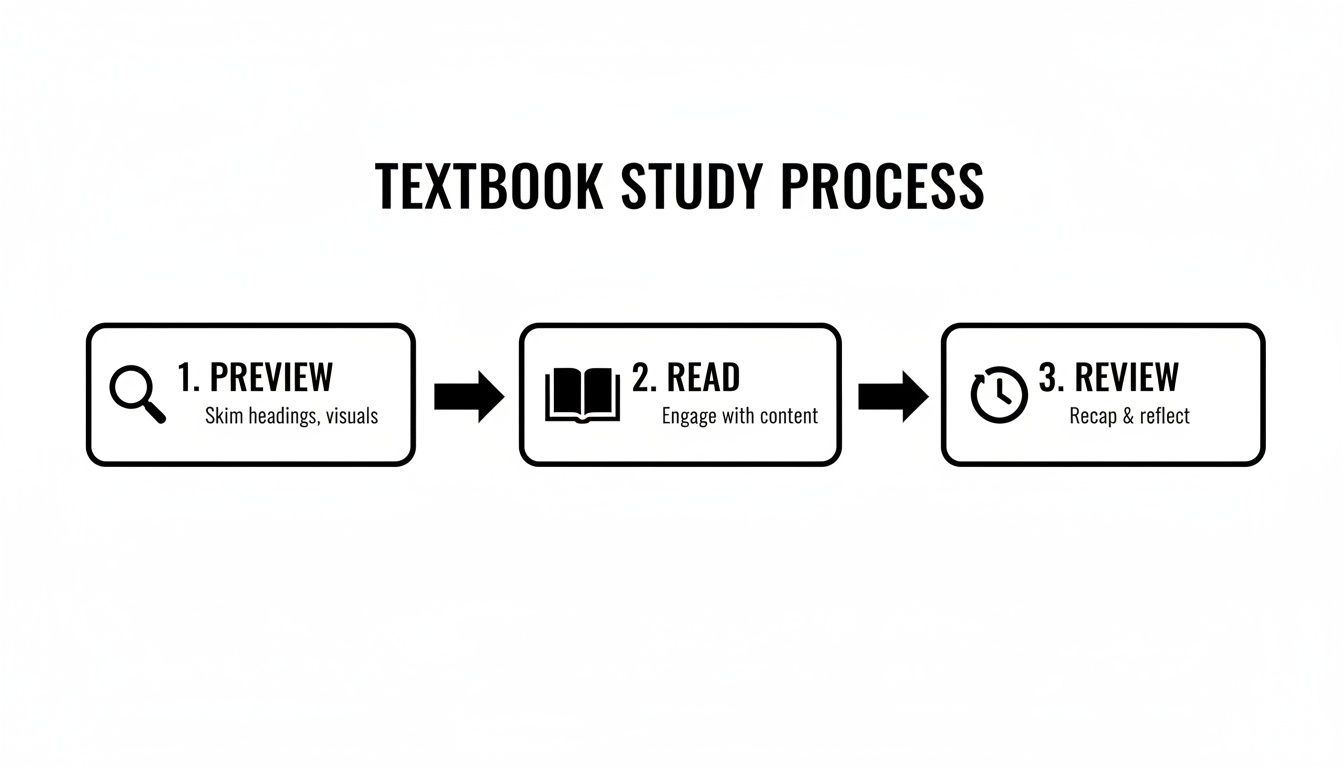
That graphic lays out the three core phases—preview, read, review—and how dividing your time thoughtfully keeps focus sharp.
Study Workflow Overview
Below is a quick-reference table—Stages Of Effective Textbook Study—that breaks down each part of this routine, its goal, and how long to spend during a one-hour study block.
Stages Of Effective Textbook Study
| Stage | Purpose | Time Allocation |
|---|---|---|
| Preview | Build a roadmap | 10 minutes |
| Read | Engage with the text | 30 minutes |
| Review | Reinforce key points | 20 minutes |
You can tweak these slots if a chapter is dense or you know a topic cold.
Previewing helps you spot the chapter’s structure and themes, making deeper reading more efficient.
When you move into the reading phase, Feen AI can generate instant summaries for any tricky passage.
- History majors often flag dates and names during preview to anchor their lecture notes.
- Science students sketch quick margin diagrams and then quiz themselves in review.
- Try Feen AI’s PDF summarizer for quick chapter outlines and summaries (PDF Summarizer Guide).
Allocating roughly one-third of your study time to review can boost retention by over 20%.
Real Student Success
Jessica, a biology major, cut her study hours in half by using Feen AI summaries to clarify dense theories before she tackled the full text.
Mark, a physics student, synced his review blocks with his peak focus times and shaved off tedious re-reading.
These tweaks—customizing your timing and leaning on AI-generated insights—turn passive reading into an active, efficient practice.
Personalize Your Schedule
Split your study across multiple days to reinforce memory. Slot in quick self-quizzes and brief reflection breaks to keep you engaged. Then set spaced-recall alerts in your calendar so nothing slips through the cracks.
This repeatable routine speeds up your prep, boosts your confidence, and pays off come test day.
Previewing Chapters To Build A Study Map
Before you jump into detailed reading, take a few minutes to skim. Flip through headings, note subheadings, and circle any bold terms. These quick observations act as your roadmap through dense material.
Jot down the major themes you spot. Maybe it’s three central ideas or predicting two example problems. Having a goal in mind brings clarity when you dig deeper.
In a history class, for example, spotting key dates and events first transforms a barrage of facts into a narrative. You’ll arrive at lectures feeling oriented, not overwhelmed.
Feen AI’s PDF tools can speed up this step. Upload your chapter scan, and you get a concise summary that slots right into your notes—no more guessing what deserves your focus.
Mark Key Points Quickly
Make it easy to find “must-know” info later.
- Sketch a star next to new definitions.
- Drop a triangle by formulas you’ll tackle in problem sets.
- Draw arrows at cause-and-effect relationships you notice.
Set a 4-minute timer per section. That keeps you moving without getting bogged down.
Then, beside each heading, write a quick question: “What’s the main argument here?” or “How might this apply?” These prompts prime your brain for active reading.
The shift to free open educational resources like OpenStax has reshaped study habits. 2.2 million students saved $177 million, boosting comprehension by 25% through simple preview-scan-read-recite-review techniques. Read the full story on Rice news.
Previewing chapters sharpens understanding by 20% before you dive into detailed reading.
Build Your Mental Outline
Now turn those sketched headings into a clear plan.
Create a mini-outline under each subheading:
- Summarize two core arguments.
- Flag three terms to revisit.
- Predict one problem you’ll solve.
This transforms a passive glance into an active strategy. You’ll know exactly where to direct your attention when you read deeply.
Here’s where Feen AI’s summarizer shines. Drop in your scan, and it generates an outline highlighting key terms and potential questions. Take that auto-outline, tweak it in your margins, or paste it into your note-taking app.
Rewriting AI suggestions in your own words forces deeper engagement. Anything still unclear? Flag it for a quick Feen AI chat session later.
These fast previews cut wasted time. You avoid guesswork and build confidence before you even start reading line by line.
Quick scans can raise retention before reading by up to 30% according to study routines.
At this point, your study map is in place. You’re primed for active reading—and the questions you’ve crafted will guide every annotation and margin note.
Before moving on, spend 5 minutes bulleting a brief summary or list of fresh questions. Rate your confidence—low, medium, or high. This snapshot becomes a benchmark, helping you track progress and spotlight tricky spots as you dive deeper.
Active Reading Strategies For Better Comprehension
Reading a chapter with real engagement can turn a dull page-flip into lasting insight. When you focus on big ideas, your brain stays alert instead of burning out.
Concept mapping brings concepts together so patterns emerge across sections. By using SQ3R—Survey, Question, Read, Recite, Review—you build a roadmap for absorbing and recalling the material.
Applying SQ3R With Text Sections
Turn each heading into a question before you dive in.
For example, “Cellular Respiration” becomes “How do cells convert glucose into energy?”—a shift that keeps your curiosity in the driver’s seat.
In one case, a biology major used Feen AI’s PDF summarizer to tackle a dense case-study section. She snapped a photo of the chapter, pulled a concise outline, then matched that sketch with her textbook to highlight critical reactions.
Pacing matters to avoid mental overload. Try four-minute reading sprints punctuated by two-minute breaks. After two cycles, stand up, stretch, or grab a quick drink.
• Survey headings for context and preview goals.
• Draft guiding questions that steer active reading.
• Annotate examples in your own words.
• Use the summarizer to sketch a quick outline.
• Speak your answers out loud to reinforce memory.
Balancing Highlights And Handwritten Notes
Highlights can be a trap if everything ends up glowing. Instead, underline only the sentences that capture the core idea. In the margins, jot a brief note that links that idea to something you already know.
Use simple symbols—stars, arrows, question marks—to flag relationships. Draw an arrow from a cause to its effect or sketch a mini-diagram next to a complicated process.
Capturing Definitions With Blockquotes
When you come across a term that’s heavy on detail—mitochondria, anyone?—define it right in the margin and wrap it in a blockquote. That way, you can scan for key definitions in a flash.
Mitochondria are the cell’s powerhouse organelles where ATP synthesis occurs.
Tag anything confusing with a question mark. These markers show what needs a deeper dive later, either on your own or during a chat session with Feen AI.
Mapping Connections With Concept Maps
A visual network is worth a thousand words. By mapping how ideas connect across a chapter, you create a snapshot of the big picture.
With Feen AI, you can upload a PDF and generate an interactive concept map. Tweak node colors to highlight high-priority topics, then export or print to keep at your desk.
Here’s a screenshot of Feen AI’s summarizer interface showing summary suggestions for a complex passage.

This view aligns AI-powered outlines with your textbook’s headings so you can jump straight to what matters.
Quick Self Checks To Stay Engaged
Take a beat every few pages to test yourself. Cover the text, then recite your guiding questions and see if you can answer in your own words.
Feen AI’s quiz generator can turn your annotations into flashcards or mini-quizzes tailored to what you highlighted.
For more targeted strategies, check out our guide How to Improve Reading Comprehension Skills.
Active use of textbooks improves reading performance, with a 1:1 student-textbook ratio boosting reading grades by 5–20% across 22 sub-Saharan African countries. Learn more in the study on textbook availability.
Consistent note taking and question prompts can raise comprehension levels by over 30%.
By turning each page into a dynamic study session, you keep your mind active and information fresh.
Next Steps To Strengthen Your Skills
Set up a timer for short reading bursts, then switch between note-taking and review. You can even alternate highlight colors to map different themes.
After each section, pause and jot a quick confidence rating. Small habits like these make study sessions deliberate, memorable, and—most importantly—effective.
Efficient Note Taking and Spaced Review
It’s easy to feel swamped when pages of notes stack up faster than you can review. Organizing your material into chunks stops that panic in its tracks. Try pairing a clear layout with deliberate review moments for maximum impact.
Note Taking Methods
Cornell Layout
Split your sheet into two columns: one for key terms, the other for deep-dive notes. Jot down a brief summary at the bottom once you finish reading.Outline Format
Use indented bullets to map out main topics and subpoints. This visual map makes it simple to trace the chapter’s structure.Digital Tags
Add custom tags like “concept,” “question,” or “example” inside Feen AI. Filter and find what matters, whether you’re on your phone or laptop.
After tagging, a quick search brings up exactly the question you flagged—or the formula that once tripped you up. You literally shave minutes off each study session.
Introduce a basic color or symbol code. A red “?” for confusing bits and bold text for new definitions does wonders for later scans.
Here is a screenshot showing a sample spaced review planner in Feen AI:
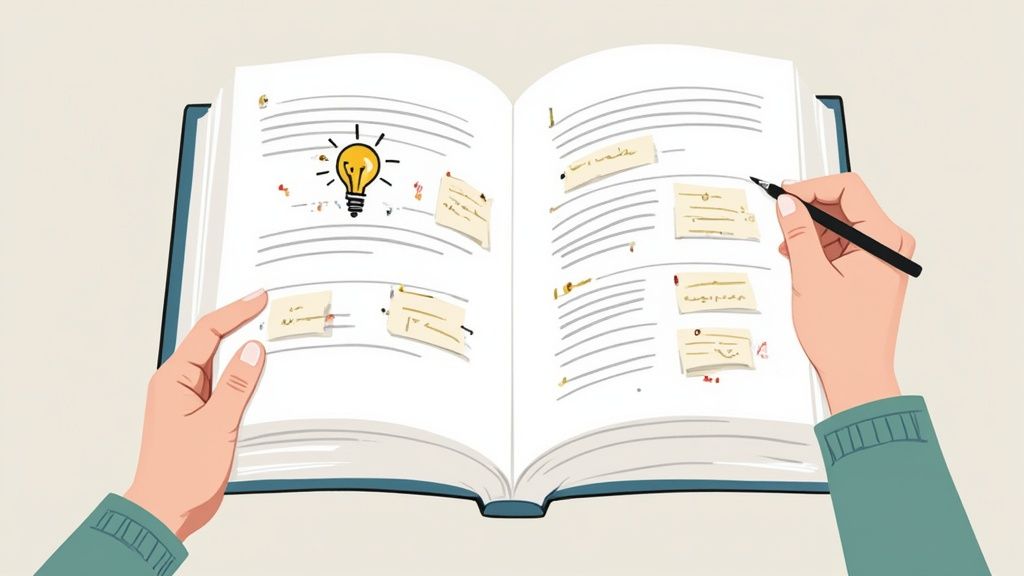
This snapshot lines up upcoming review dates next to your condensed notes. You’ll know at a glance which chapter sections need a quick brush-up.
Spaced Review Schedule
Spaced repetition transforms fleeting recall into long-term memory. The trick is revisiting your notes at growing intervals.
| Review Timing | Recommended Action | Estimated Retention Gain |
|---|---|---|
| After 1 Day | Read summaries and self-quiz | 60% |
| After 3 Days | Tackle practice questions | 75% |
| After 1 Week | Explain concepts in your own words | 85% |
| After 2 Weeks | Create flashcards or run an AI quiz | 90% |
Tweak these windows to match your exam calendar. The goal is to see the material just as it’s slipping from your mind.
Feen AI Integration
Dragging in a PDF or snapping a photo kickstarts your note outline in seconds. Every heading and key term is auto-detected and organized for you.
- PDF Upload
Drop your textbook chapter into Feen AI and watch it extract headings, terms, and definitions. - Photo Scan
Scan a page with your camera. Instant digital notes replace blurry snapshots. - Summary Export
Hit export to get a neat, shareable one-page summary—or email it straight to yourself. - Quiz Generation
Select any tag or section and generate multiple-choice or fill-in-the-blank questions.
Sharing those summaries with friends sparks new insights. Plus, custom quizzes highlight exactly where you need more practice.
Syncing Across Devices
Real-time sync keeps your mobile and desktop notes mirror images of each other. Review flashcards on the bus; pick up right where you left off in the library.
This seamless handoff cuts out wasted setup time. Every study block becomes focused, trackable, and—dare we say—enjoyable.
Check out our guide on preparing smarter for tests with AI at Feen AI
(How to Study Efficiently for Exams)
Stick with these routines and you’ll find your confidence growing alongside your retention. Good luck—you’ve got this!
Practicing Problems And Self Assessment
Applying new insights by working through problems helps ideas stick. Let’s explore a workflow that blends textbook questions, custom quizzes, and AI-driven hints.
First, choose 5 to 10 problems from your current chapter. Then upload the PDF or snap a photo in Feen AI to get instant, step-by-step solutions.
- Pick 5 to 10 problems that focus on core concepts.
- Generate multiple-choice or fill-in-the-blank quizzes.
- Save flashcard sets for subjects heavy on terminology.
For instance, Emily tackles Calc II integrals by comparing her handwritten work with Feen AI’s hints. Spotting discrepancies early prevents repeated mistakes and builds her confidence.
After each session, she logs every error in a simple table, noting exactly what went wrong. Reviewing this table over spaced intervals highlights patterns she wouldn’t catch otherwise.
Sample Practice Schedule
| Time Of Day | Activity |
|---|---|
| Morning | 30 min Mixed Problem Drill |
| Afternoon | 10 min Flashcard Review |
| Evening | 5 Self-Quiz Cycles |
Short, focused bursts of practice maintain momentum and keep fatigue at bay.
Designing Your Daily Routine
Short, consistent sessions beat marathon study blocks when it comes to retention. Here’s a balanced daily routine:
- Solve three textbook problems, then rate your confidence on each.
- Review five flashcards generated by Feen AI for key terms.
- Complete two AI-generated quizzes to pinpoint weak spots.
When Alex works on physics, he adds AI hints one step at a time. That gradual approach prevents frustration, especially when formulas feel unfamiliar.
- Sophie drills 20 vocabulary words daily using spaced flashcards.
- Tracking quiz scores in Feen AI highlights topics that need extra focus.
Regular self-testing locks information into memory. In fact, students who track performance see an improvement of over 20% in retention. Turning each mistake into a mini-lesson keeps frustration at bay and curiosity alive.
Measuring Your Progress
Seeing your improvement over time is a powerful motivator. Use a quick spreadsheet or Feen AI’s dashboard to plot quiz scores, error types, and review frequency.
| Metric | What It Shows |
|---|---|
| Quiz Score | Your percentage correct over time |
| Error Categories | Common mistakes grouped by topic |
| Review Schedule | Suggested intervals for spaced review |
Sharing your results with a study partner adds accountability. Julia, a seasoned student, alternates easy and challenging problems each week to keep progress steady.
By logging quiz results, practice logs, and error tables, you enter exams armed with clear data and real confidence. Self-assessment turns textbook study into a dynamic feedback loop—proof that focused practice really pays off.
Reward yourself when you hit milestones. A quick coffee break or a short walk can make a big difference.
Frequently Asked Questions
How Often Should You Review Textbook Notes To Avoid Forgetting?
Revisiting your notes at strategic intervals makes a real difference. Research shows that spaced review at 1 day, 3 days, and 1 week can boost recall by over 20%.
- Add reminders to your calendar
- Set quick prompts in Feen AI
“Review notes within 24 hours to lock memory.”
What’s The Best Way To Annotate Without Harming Library Books?
When you need to jot ideas down, a thin sheet between pages is a lifesaver. It stops ink from bleeding through and keeps the original text pristine.
- Write margin notes in pencil or on removable sticky tabs
- Use a gentle touch so you can erase corrections later
How Do You Balance Textbook Study With Lecture Notes?
Bringing together your reading and what you hear in class cements understanding. I lay out two columns on a single page for a clear side-by-side comparison.
- Left column: key terms and definitions
- Right column: your professor’s explanations and examples
This approach saves time and helps you spot gaps in your knowledge immediately.
Is Digital Or Physical Study More Effective?
Each format has its perks. A paper book can ease screen fatigue, while e-versions make searching for keywords a breeze.
Mix it up depending on the subject. For math proofs, I prefer paper. For theory-heavy chapters, I switch to the digital copy.
How Can Feen AI Support Every Stage Of Your Workflow?
Feen AI steps in wherever you need an extra hand. From summaries to quizzes, it keeps you focused on mastering concepts—not on formatting.
- Upload a PDF to auto-summarize tricky passages
- Generate quizzes from your notes for active recall
- Convert a photo of your textbook into editable text
- Clarify tough definitions with the chat feature
- Share chapter summaries with your study group in seconds
- Tag confusing points for later review
Experience smarter studying with Feen AI at Feen AI
Relevant articles
Struggling to absorb what you read? Learn how to improve comprehension skill with actionable reading strategies and smart tools for real, lasting results.
Discover how to improve comprehension skills with proven reading strategies. Master active reading and note-taking for deeper understanding.
Discover how to improve reading comprehension skills with proven strategies, active reading, and practice that builds lasting understanding.
Discover how to study a textbook with active recall, smart notes, and proven strategies to boost memory and ace exams.